
MicroBakery User Manual
Getting Started
Account Options
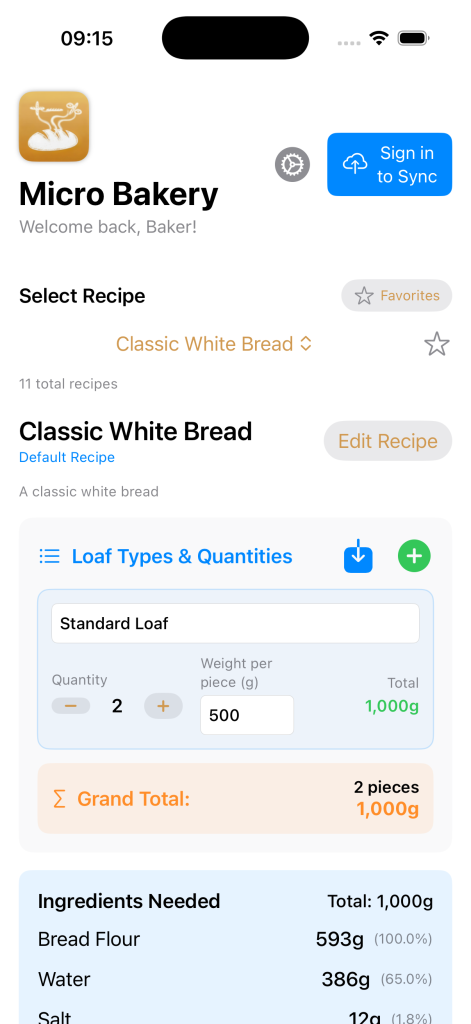
MicroBakery offers two ways to use the app:
- Local Mode (No Account Required)
- – Use all features immediately without creating an account
- – Recipes stored locally on your device
- – Perfect for single-device use
- – No internet connection required
- Cloud Sync Mode (Optional Account)
- – Create a free account to enable cloud synchronization
- – Access recipes across multiple devices (iPhone and iPad)
- – Automatic backup of all your recipes
- You can start using the app immediately and create an account later when you want cross-device access.
- – Seamless sync when connected to internet
- Creating an Account (Optional)
- To enable cloud sync across devices:
- 1. Tap the profile button in the header
- 2. Select “Create Account” or “Sign In”
- 3. Follow the registration process
- 4. Your local recipes will automatically sync to the cloud
Main Interface Overview
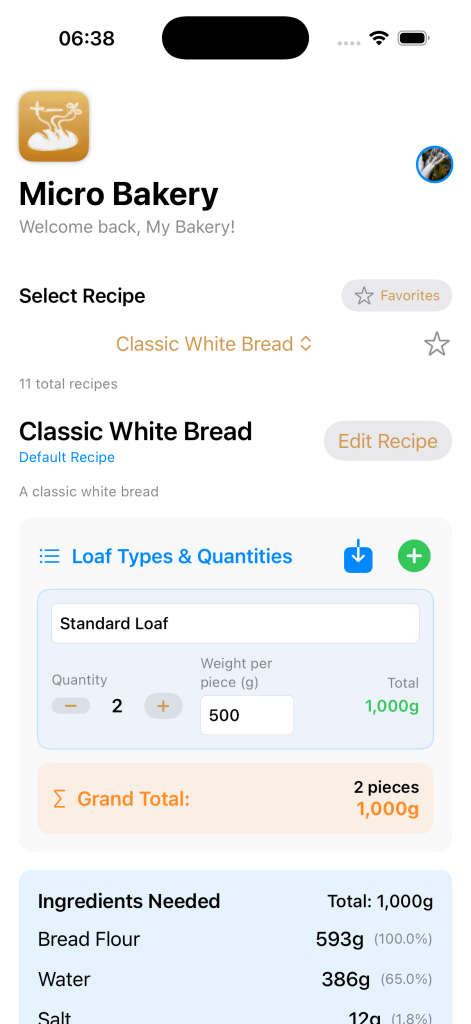
Header Section
- Welcome Message: Personalized greeting with your name
- Profile Button: Access settings, account management, and cloud sync options
- Account Status: Shows whether you’re using local storage or cloud sync
- Settings Icon: Quick access to language and app preferences
Recipe Selection
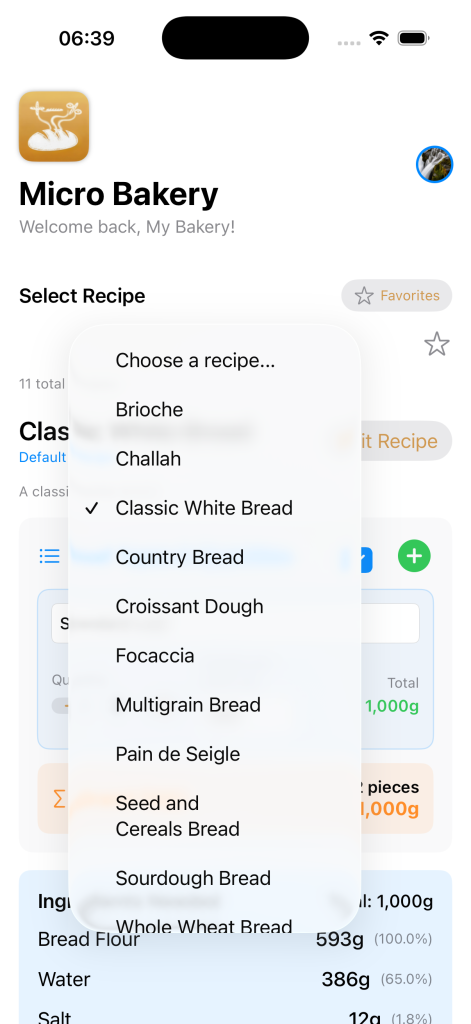
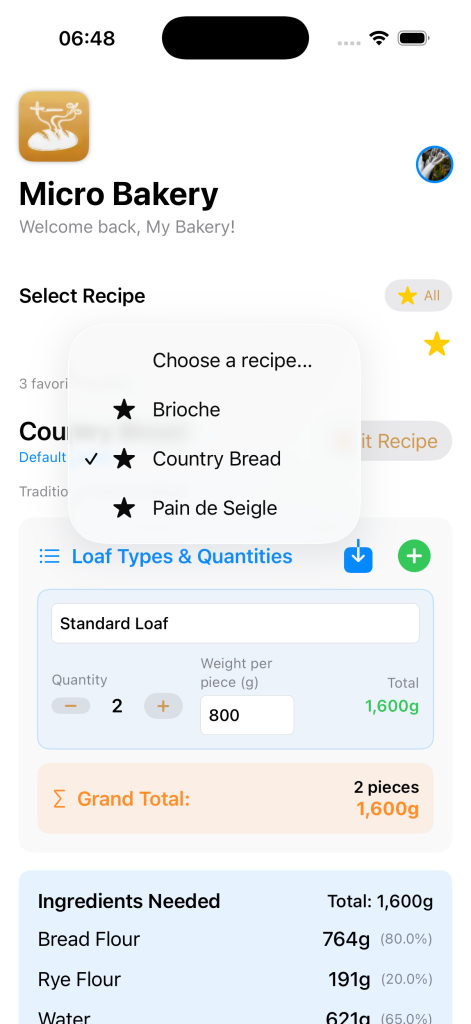
- Recipe Picker: Dropdown menu with all available recipes
- Favorites Toggle: Filter to show only your favorite recipes
- Recipe Counter: Shows total number of recipes available
- Star Icon: Mark recipes as favorites for quick access
Loaf Configuration
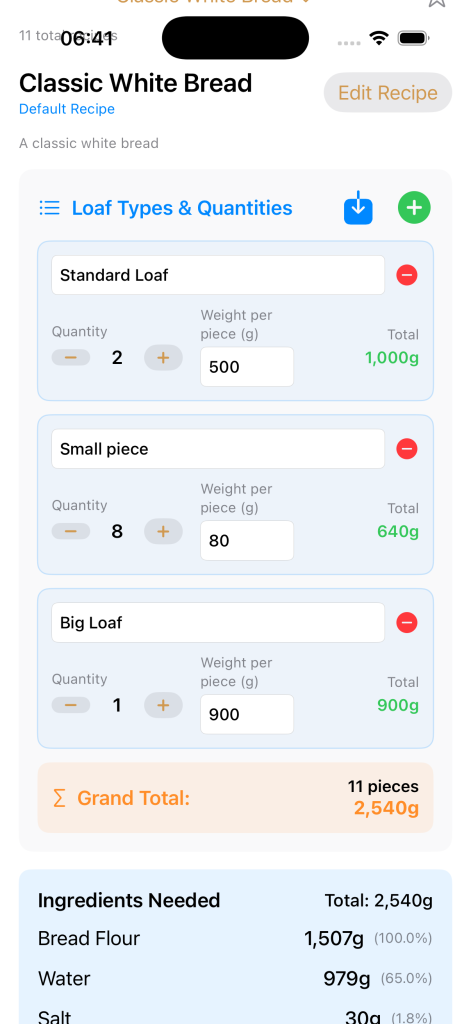
- Add/Remove Types: Manage multiple loaf types per batch
- Loaf Type Cards: Configure different bread types in one batch
- Quantity Controls: Use +/- buttons to adjust quantities
- Weight Input: Set individual loaf weights in grams
Recipe Management
Using Default Recipes
- MicroBaker comes with 10+ professional bread recipes ready to use:
- Classic White Bread – Traditional everyday bread
- Country Bread – Rustic artisan loaf
- Sourdough Bread – Natural fermentation bread
- Whole Wheat Bread – Nutritious whole grain option
- Seed and Cereals Bread – Multi-seed artisan bread
- Brioche – Enriched French pastry dough
- Rye Bread – Traditional European rye
- Multigrain Bread – Complex grain mixture
- Croissant Dough – Laminated pastry base
- Challah – Traditional braided bread
Creating Custom Recipes
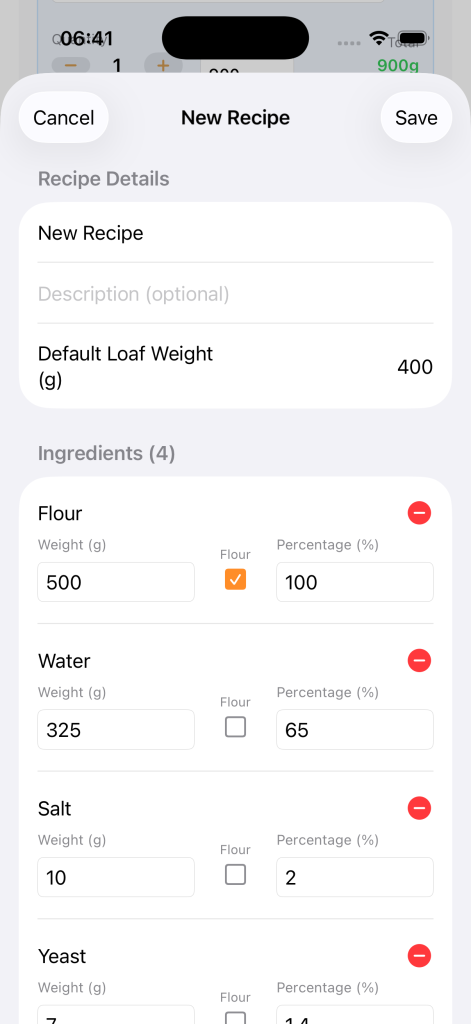
- Tap “New Recipe” button
- Enter recipe name and description
- Add ingredients one by one:
- Ingredient name
- Weight in grams
- Baker’s percentage
- Mark as flour if applicable
- Configure baking process (optional)
- Save to your personal library
Managing Favorites
- Quickly access your most-used recipes by marking them as favorites:
- Quick Access: Favorites appear at the top of lists
- Mark as Favorite: Tap the star icon next to any recipe
- Favorites Filter: Toggle to see only starred recipes
Batch Calculations
Basic Batch Setup
- Select your recipe from the dropdown
- Configure loaf types:
- Name each type (e.g., “Large Loaf”, “Dinner Rolls”)
- Set quantity for each type
- Specify weight per piece
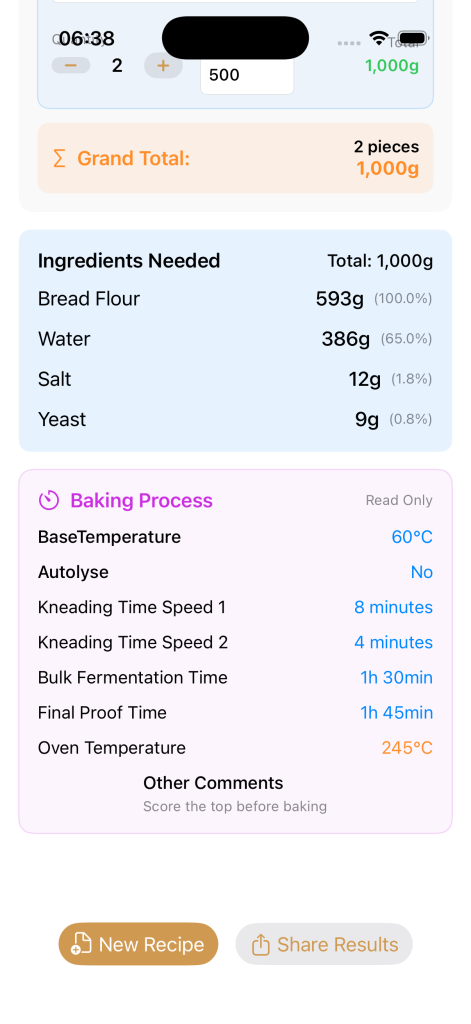
- Review total calculations
- See scaled ingredient requirements
Understanding Baker’s Percentages
All recipes in MicroBaker use professional baker’s percentages where flour = 100%:
- Consistency: Same results every time, regardless of batch size
- Precision: Maintains proper hydration and ingredient ratios
- Professional Standard: Industry-standard calculation method
- Easy Scaling: Adjust batch size without recalculating ratios
- Real-time ingredient calculations with baker’s percentages
Advanced Batch Management
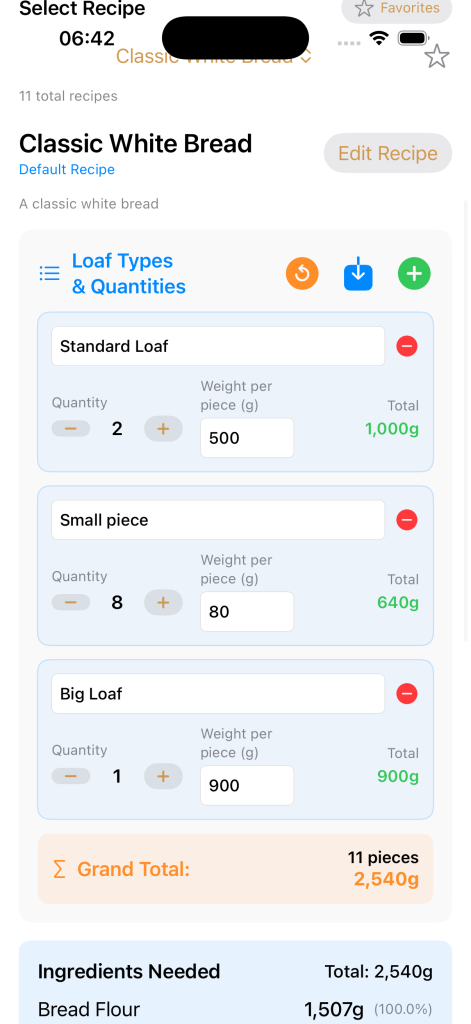
- Multiple Configurations: Save different setups per recipe
- Save Batch: Store your current configuration for future use
- Load Batch: Recall previously saved setups instantly
- Reset Batch: Return to default weight loaves
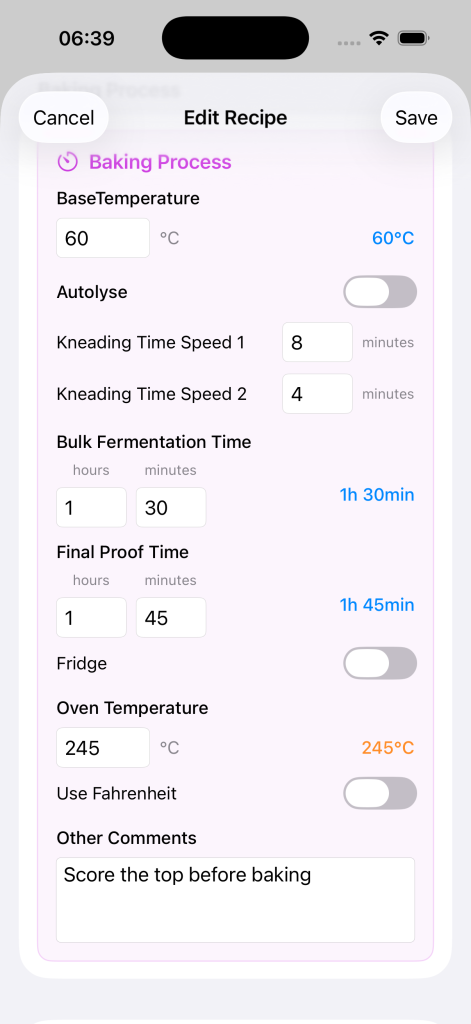
Baking Process Guide
Process Information
When available, recipes include detailed process steps:
- Temperature Management: Target dough and oven temperatures
- Timing Information: Autolyse, kneading, fermentation, proofing times
- Additional Notes: Special handling instructions and tips
Following the Process
- Document results for future reference
- Use ingredient calculations for mixing
- Follow temperature guidelines
- Time each fermentation stage
- Adjust for your specific conditions
Multilingual Support
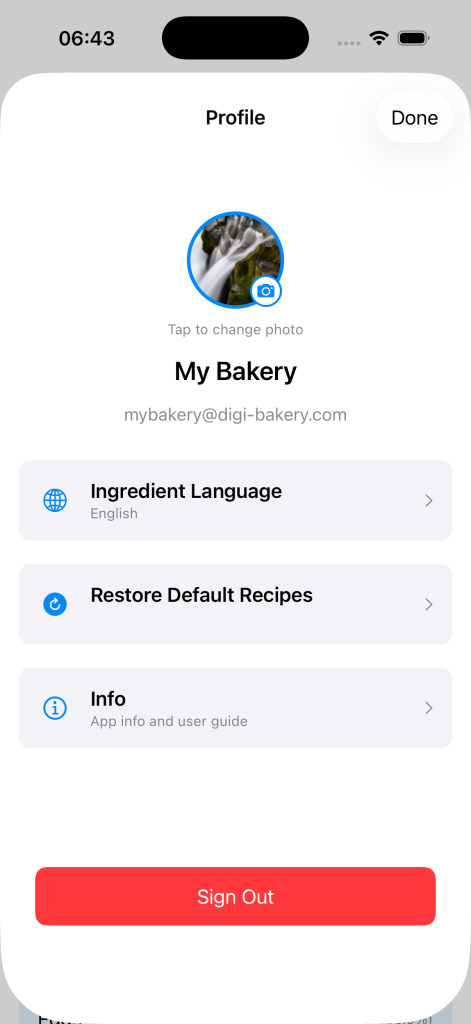
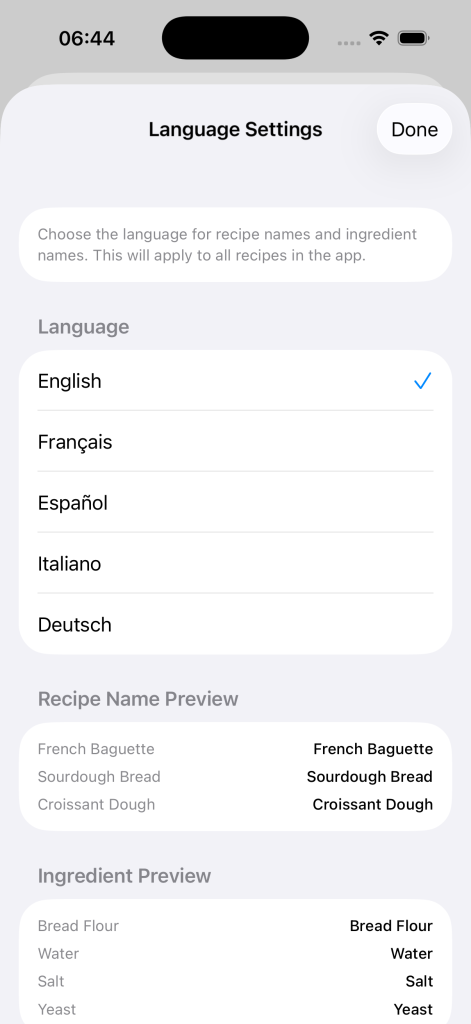
Changing Languages
- Select “Language”
- Choose from available languages:
- English
- Tap the profile/settings button
- Français (French)
- Español (Spanish)
- Italiano (Italian)
- Deutsch (German)
- Interface updates immediately
What Gets Translated
All recipes in MicroBaker use professional baker’s percentages where flour = 100%:
- Custom Recipes: Names remain as entered
- Ingredient Names: Professional bakery terms in each language
- UI Elements: All buttons, labels, and instructions
- Recipe Names: Default recipe translations
- Process Terms: Baking terminology
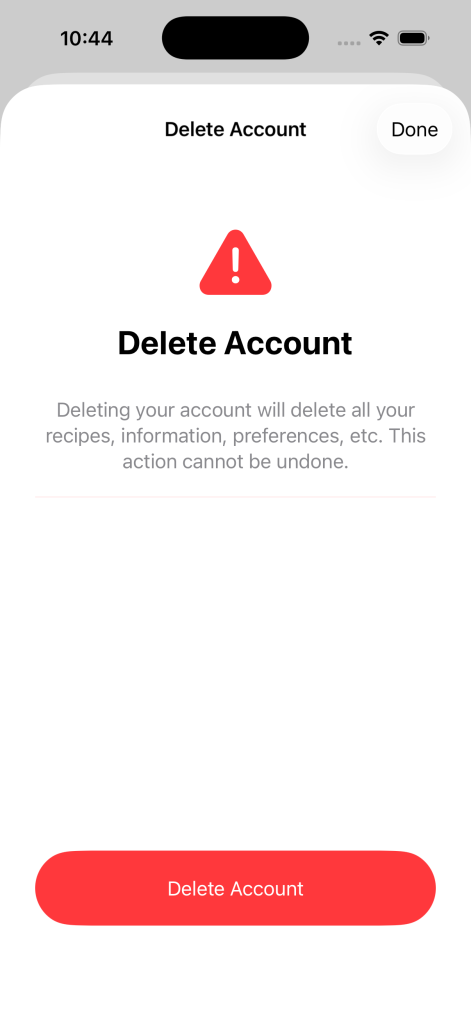
Delete Account
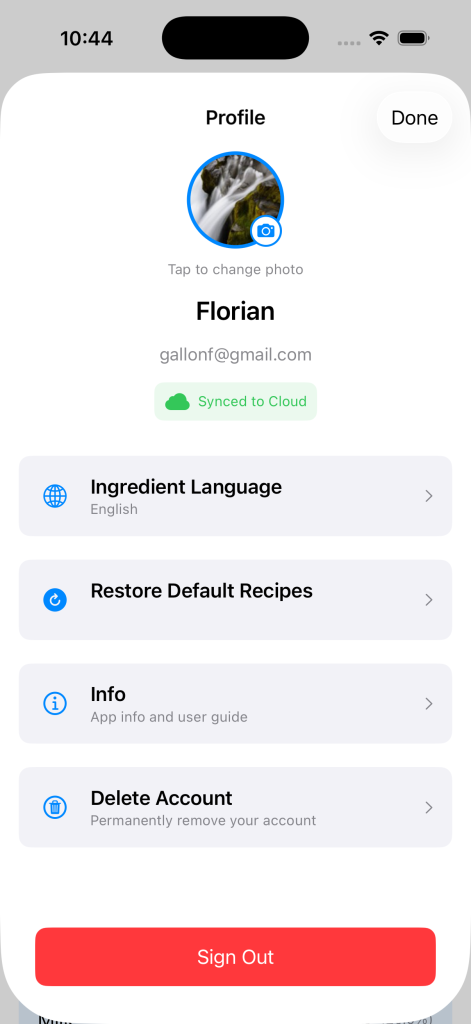
The delete account feature allows users to permanently remove their MicroBakery account and all associated data.
- How to Access
- Open the Profile screen (tap your profile picture in the header)
- Scroll down to find the Delete Account option (only visible when signed in)
- Tap on Delete Account
- What Happens When You Delete Your Account
- When you delete your account, the following data will be permanently removed:
- All your custom recipes
- Your profile information and preferences
- Your ingredient language settings
- Your profile picture
- All cloud-synced data
- ⚠️ Important: This action cannot be undone. Default recipes provided by the app will remain available to all users.
- Security Requirements
- For your security, you may be asked to:
- Re-enter your password to confirm the deletion
- This helps ensure that only you can delete your account
- What Happens After Deletion
- You’ll be signed out of the app
- Your account and all data will be permanently removed from our servers
- You can continue using MicroBakery with local storage only
- You can create a new account at any time if you wish to return
- Alternative: Local Use
- If you prefer not to delete your account but want to stop using cloud sync, you can simply:
- 1. Sign out of your account (Profile → Sign Out)
- 2. Continue using the app with local storage only
Troubleshooting
- Calculations Seem Wrong
- Check that ingredient percentages add up logically
- Verify individual loaf weights are correct
- Ensure base recipe is accurate
- Try resetting and recalculating
- Recipes Not Syncing
- Cloud sync requires an account: Create an account in settings to enable synchronization
- If using local mode: Recipes are stored only on this device
- If using cloud mode with an account:
- Check your internet connection
- Verify you’re logged into your account
- Wait a few moments for cloud updates
- Try closing and reopening the app
- Translation Issues
- Ensure you have the latest app version
- Verify correct language is selected
- Try switching languages and back
- Report missing terms through feedback
- App Performance
- Check that you have adequate device storage
- Restart the app completely
- Close other apps if device is slow
- Ensure your iPad has the latest iOS update